● 100% Free · Mac & Windows

See your metadata.
Fix it on the spot.

TrackView PLUS is the free drag-and-drop metadata editor built for sync musicians. Drop in a track, see the metadata that matters for sync, fix what's missing, and send it out pitch-perfect.

No credit card. No subscription. Your download starts right here, and we'll send the occasional note from TrackStage. Unsubscribe anytime.

✓

You're in! Download TrackView PLUSYou're in! Check your email.

Choose your computer to start the download.We've sent your download links.

TrackView PLUS is a desktop app for Mac and Windows. Open that email on your computer and click the download button there.

Need a hand? Mac installation steps · Windows installation steps

TrackView PLUS demo: a track dragged in, its metadata edited and tagged

Every track you send is a first impression. Make sure it arrives with your name, your splits and a way to reach you.

Sound familiar?

If you've ever…

been confused by sync music metadata

sent a track out without your contact info

struggled with technical, frustrating metadata editors

wrestled with a music player just to edit a tag

…we built the fix.

How it works

Drag. Edit. Tag.

No uploading, no exporting, no spreadsheets. TrackView PLUS works on the files already on your hard drive.

1

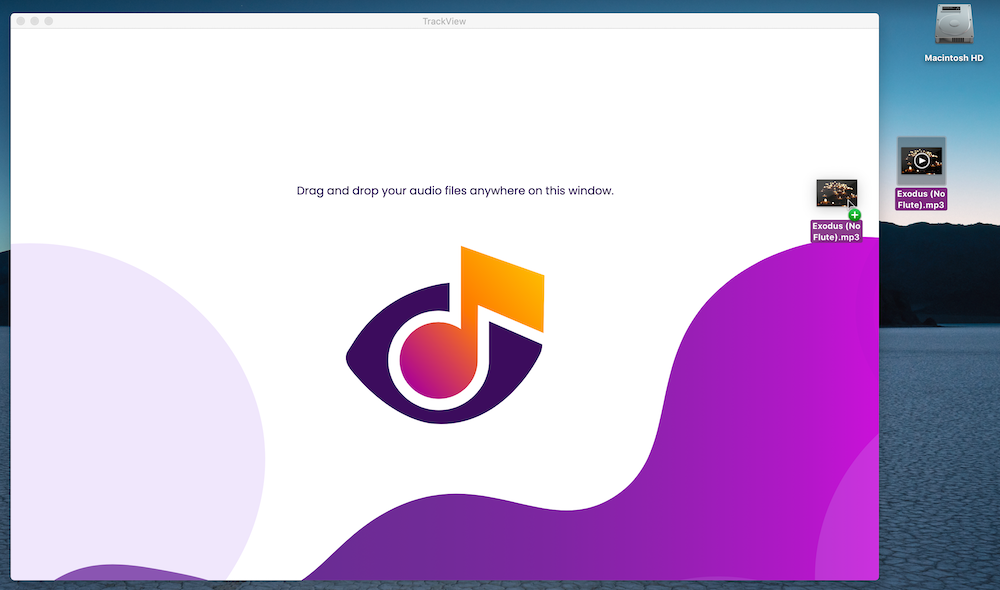
Drag a track onto the window

The metadata that matters for sync appears instantly: track name, artist, composer, grouping, description, artwork and more.

2

Click Edit Metadata

The fields open up so you can fill gaps and fix mistakes right there, with tips beside every field.

3

Click Tag Track

Your changes are written straight into the audio file. Done. On to the next one.

Dragging an MP3 onto the TrackView window

Built for sync musicians

Everything you need. Nothing you don't.

Drag & drop simplicity

View metadata on any audio file, edit it in place and swap artwork with a drag.

Ready when you are

No uploading or downloading. Edit MP3, WAV and AIF files right where they live on your hard drive.

Metadata made simple

Tips on every field explain what goes where, with formatting suggestions based on the Guild of Music Supervisors' recommendations.

No internet required

All your metadata is viewable and editable offline. You only need a connection to display artwork.

Artwork in a drag

Drag a JPG, GIF or PNG onto the artwork panel to add or replace your cover art.

Mac & Windows

A real desktop app for both platforms. Free to download, free to keep, no account needed.

TrackView PLUS shows the fields that matter for sync, and leaves out the dozens that don't.

Track NameArtistComposerGroupingDescriptionPublisherCD/AlbumCD/Album ArtistGenreKeywords/MoodsBPMISWCVersionYearLyricsArtwork
CriticalImportantAlso shown

Metadata, demystified

Three things every sync track needs.

Metadata is your song's cover. It tells music supervisors what it is, who made it and how to reach you. TrackView PLUS makes these checks quick.

01

Every critical field, embedded

Track name, artist, composer, grouping and description need to live inside the audio file itself, so they travel wherever your track goes.

02

Contact info, first

Start the Description field with your name, email and phone. Many music players only show the beginning of it.

03

Names, exactly right

Spell every writer and publisher exactly as they're registered with your PRO, so the right people get paid.

Learn more at TrackStage University
From the team behindTrackStage

TrackView PLUS fixes a track.
TrackStage finishes your catalog.

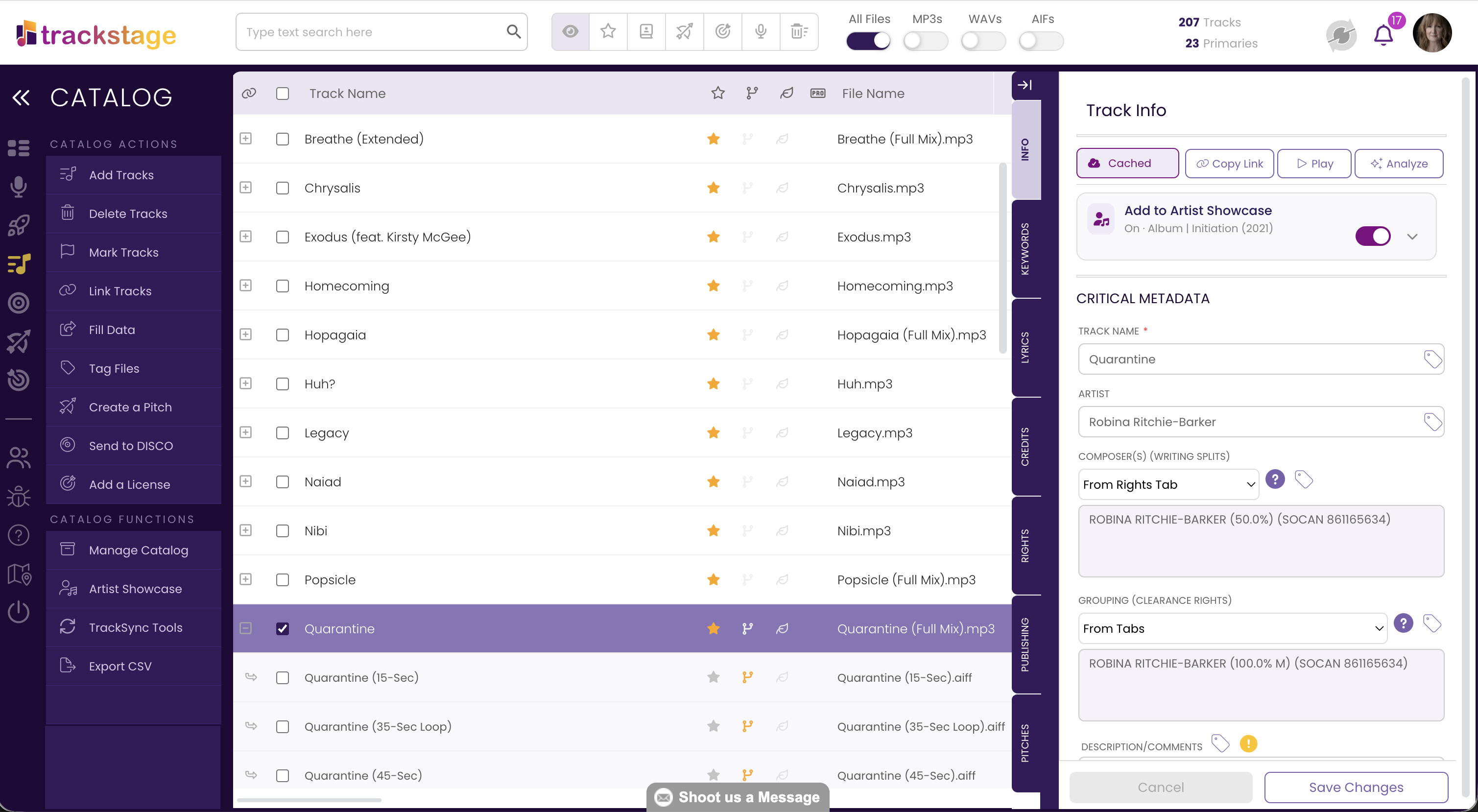
When you're tagging one file at a time, TrackView PLUS has you covered. When it's every version, stem and alternate across your whole catalog, TrackStage does it all at once, and keeps everything connected to the song.

Free forever

TrackView PLUS

For checking and fixing a track before it goes out.

  • See the sync metadata in MP3, WAV & AIF files
  • Edit and tag one file at a time
  • Drag-and-drop artwork
  • Field tips and formatting guidance
Get TrackView PLUS

Mac & Windows. No account needed.

14-day free trial

TrackStage

For finishing, organizing and pitching your whole catalog.

  • Your whole catalog in one place, every version and stem linked to its song
  • Fill Data: copy metadata from a Primary track to all its alternates and stems in one click
  • Tag metadata into many files at once, with untagged tracks flagged
  • TrackStage GO: from final mix to ready in seconds
  • AI metadata suggestions for mood, genre, instruments and keywords
  • Split sheets, pitching, licensing and automatic file backup
Start your free 14-day trial

No credit card required. Plans from $14/month. See all features

Questions

Good to know.

Is TrackView PLUS really free?

Yes. No subscription, no credit card and no trial period. Just tell us where to send the download link.

Which computers does it run on?

TrackView PLUS is a desktop app for Mac and Windows. See the installation instructions for step-by-step help on each.

Which audio files can I edit?

MP3, WAV and AIF. Keep in mind that WAV files hold a more limited set of metadata, and many music players don't display WAV metadata at all.

Do I need an internet connection?

Only to display artwork. You can view and edit all other metadata offline.

What's the difference between TrackView and TrackView PLUS?

TrackView shows you the metadata embedded in an audio file. TrackView PLUS adds editing, so you can fix fields and tag the file on the spot. The free download is TrackView PLUS.

Do I need TrackStage to use it?

No. TrackView PLUS works entirely on its own. When you're ready to manage metadata across your whole catalog, TrackStage is there with a free 14-day trial.

Give every track
the cover it deserves.

Download TrackView PLUS free and make sure your music never leaves home without its metadata.

No credit card. No subscription. Your download starts right here, and we'll send the occasional note from TrackStage. Unsubscribe anytime.

✓

You're in! Download TrackView PLUSYou're in! Check your email.

Choose your computer to start the download.We've sent your download links.

TrackView PLUS is a desktop app for Mac and Windows. Open that email on your computer and click the download button there.

Need a hand? Mac installation steps · Windows installation steps